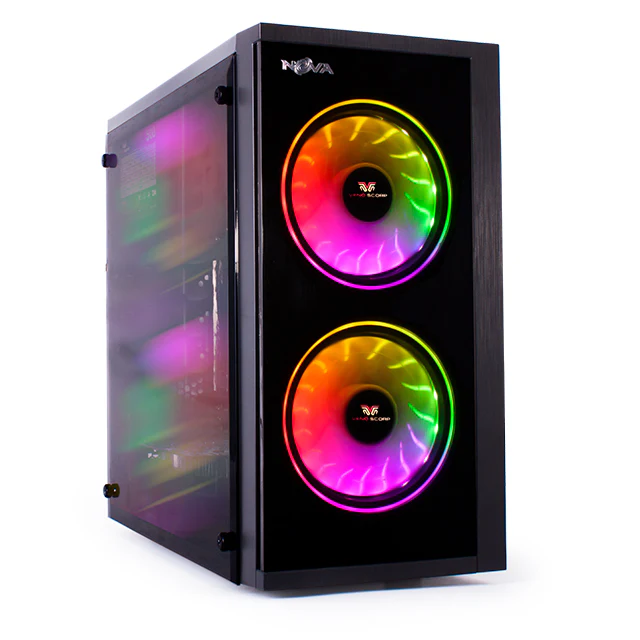
PlayerUnknown’s Battlegrounds (PUBG) is one of the most demanding battle royale games, requiring a powerful and balanced system to deliver smooth gameplay, high FPS, and competitive performance. Whether you are a casual gamer or an esports enthusiast, building the best PC for PUBG gaming requires careful selection of components like CPU, GPU, RAM, and storage.
In this guide, we’ll explore how to build a high-performance pc for gaming, focusing on the hardware that matters most for PUBG. By the end, you’ll understand how to create a future-proof gaming PC that delivers excellent visuals, low latency, and consistent frame rates.
Why PUBG Requires a Powerful Gaming PC
PUBG is known for its large open maps, realistic physics, and detailed graphics. Unlike many other games, it heavily relies on both CPU and GPU performance. A poorly balanced system can result in lag, stuttering, or low FPS, even if you have a powerful graphics card.
To achieve the best PC for PUBG gaming, you need a system where all components work together efficiently. This means choosing the right CPU for processing, a strong GPU for graphics rendering, sufficient RAM for multitasking, and fast storage for quick load times.
Choosing the Right CPU for PUBG Gaming
The CPU (Central Processing Unit) is the brain of your gaming PC. PUBG is CPU-intensive, especially in large maps and multiplayer scenarios where many players and objects are rendered simultaneously.
Recommended CPU Options
For building the best PC for PUBG gaming, consider these CPU categories:
- Budget CPUs: AMD Ryzen 5 3600, Intel Core i5-10400F
- Mid-range CPUs: AMD Ryzen 5 5600X, Intel Core i5-12400F
- High-end CPUs: AMD Ryzen 7 5800X3D, Intel Core i7-13700K
Key Factors to Consider
- Core Count: At least 6 cores for smooth gameplay
- Clock Speed: Higher clock speeds improve FPS in PUBG
- Cache Memory: Larger cache improves performance in open-world games
A powerful CPU ensures that your pc for gaming can handle PUBG’s complex calculations without bottlenecks.
Selecting the Best GPU for PUBG Gaming
The GPU (Graphics Processing Unit) plays the most significant role in determining your gaming performance. It affects frame rates, resolution, and graphical quality.
Recommended GPU Options
To build the best PC for PUBG gaming, choose a GPU based on your resolution and budget:
- 1080p Gaming: NVIDIA GTX 1660 Super, RTX 3050, AMD RX 6600
- 1440p Gaming: NVIDIA RTX 3060 Ti, RTX 4060, AMD RX 6700 XT
- 4K Gaming: NVIDIA RTX 4070/4080, AMD RX 7900 XT
Why GPU Matters
PUBG relies heavily on GPU performance for rendering textures, shadows, and lighting. A powerful GPU ensures:
- Higher FPS
- Better visual quality
- Stable performance during intense battles
Without a strong GPU, even the best CPU won’t deliver the performance required for competitive PUBG gaming.
RAM: How Much Memory Do You Really Need?
RAM (Random Access Memory) is essential for multitasking and smooth gameplay. PUBG can consume a significant amount of memory, especially when running alongside background applications like Discord or streaming software.
Recommended RAM Configuration
- Minimum: 8GB DDR4
- Recommended: 16GB DDR4/DDR5
- High-end: 32GB for streaming and heavy multitasking
Speed and Dual-Channel Memory
For the best PC for PUBG gaming, choose:
- DDR4 3200–3600 MHz or DDR5 4800+ MHz
- Dual-channel configuration (2x8GB instead of 1x16GB)
Faster RAM improves overall system responsiveness and FPS in CPU-intensive games like PUBG.
Storage: SSD vs HDD for PUBG Gaming
Storage plays a crucial role in load times and system responsiveness. While HDDs are cheaper, SSDs are significantly faster and essential for modern gaming.
Recommended Storage Setup
- Primary Drive: NVMe SSD (500GB–1TB)
- Secondary Drive: HDD or SATA SSD for additional storage
Benefits of SSD for PUBG
- Faster game loading times
- Reduced stuttering and lag
- Quicker system boot and updates
For a high-performance pc for gaming, an NVMe SSD is a must-have component.
Balancing Components for the Best Performance
One of the biggest mistakes gamers make is overspending on one component while neglecting others. For example, pairing a high-end GPU with a weak CPU can cause bottlenecks, reducing overall performance.
To build the best PC for PUBG gaming, ensure:
- CPU and GPU are balanced
- RAM is sufficient and fast
- Storage is optimized for gaming
A well-balanced system delivers better performance than an unbalanced high-end build.
Additional Components to Consider
Motherboard
Choose a motherboard that supports your CPU and offers future upgrade options. Look for features like PCIe 4.0/5.0, Wi-Fi, and multiple M.2 slots.
Power Supply (PSU)
A reliable PSU ensures system stability. Choose a 650W–850W 80+ Gold certified power supply for gaming PCs.
Cooling System
Good cooling is essential for maintaining performance. Use a high-quality air cooler or liquid cooling system to prevent overheating.
Gaming Monitor
To fully enjoy the best PC for PUBG gaming, pair your system with a high-refresh-rate monitor (144Hz or 240Hz).
Optimizing Your PC for PUBG Performance
Even with powerful hardware, optimization is key to achieving the best performance.
Tips to Improve PUBG Performance
- Update GPU drivers regularly
- Optimize in-game graphics settings
- Enable XMP/DOCP for RAM
- Use performance mode in Windows
- Close unnecessary background applications
These steps help you maximize the performance of your pc for gaming.
