
When was the last time you stayed up late because of a PPT? You spend hours digging into data, but the moment you open PowerPoint, your logical thinking gets hijacked by layouts and formatting. Suddenly you’re stuck doing the same repetitive tasks: tweaking fonts, fixing spacing, matching colors. And before you know it, you’ve run out of time to actually think deeply or refine your ideas.
What we really need at work isn’t more hours, it’s the ability to turn deep thinking into clear, professional communication. That’s where vertical AI shines: it takes the heavy lifting out of expressing your expertise.
WorkPPT: A Vertical AI that Lets You Skip the “Cognitive Drag”
Most general-purpose AI tools struggle to go deep enough when it comes to fixing real PowerPoint pain points. What people actually need is something built specifically for presentations, a tool that understands where PowerPoint slows you down.
That’s why vertical AI tools like WorkPPT stand out. Its goal is simple and direct: take your ideas and turn them into polished, professional slides without any of the tedious manual work. It handles the entire PowerPoint process for you, end to end.
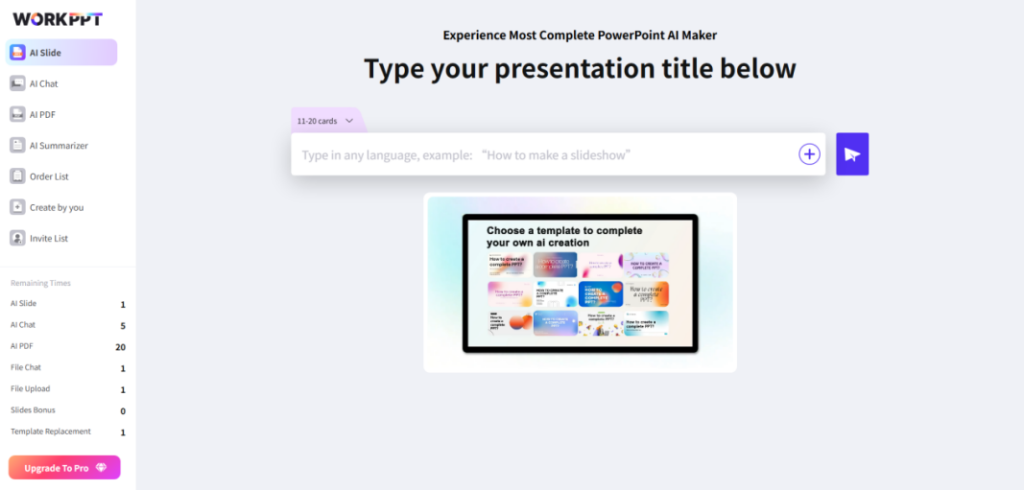
- WorkPPT is Your Strategic Time Lever: 8 Hours of Polish in 15 Minutes
If you’re someone who cares about efficiency at work, the biggest value of AI PowerPoint generator is simple: it gives you back control of your time.
- In the traditional workflow, creating a 30-slide presentation can easily take an entire evening just to polish the layout and design.
- With WorkPPT, you simply drop in your outline or script, and within minutes, you get a clean, well-structured, professionally designed draft.
And the time you save can finally go where it actually matters: refining your business ideas, practicing your pitch, or simply keeping a healthy balance between work and life.
- Your “AI Design Director”: One Click, Instantly Professional
Your subject-matter expertise must not be undermined by weak visuals. WorkPPT ensures you produce high-end, credible presentations without requiring any specialized design skill.
- Smart Layouts: Just enter your text and key points. WorkPPT understands your structure and applies clean, logic-driven layouts automatically.
- Color & Style Rules: It follows professional color palettes and typography standards, so your slides never look amateur again.
- Data Visualization: For people who work with complex data, WorkPPT doesn’t just recognize numbers, it automatically picks the right chart style and renders it based on the data you upload.
- Understands Your logic: WorkPPT reads the hierarchy of your content and gets the logic behind it. If you type “three key strategies, it won’t just list paragraphs. It breaks the idea down and automatically chooses a layout that clearly shows a parallel structure.
The Seamless Workflow: 3 Steps to Turn Ideas into a Professional Deck
Switching to the WorkPPT intelligent workflow is both quick and intuitive. The process simplifies complex presentation generation into three core steps, allowing users to focus entirely on their narrative and content:
- Input Your Core Idea: Simply start by typing your presentation topic, or paste the entire body of text you intend to cover.
- Review the Structure: The AI quickly generates a complete, logically structured outline. You then perform a rapid review, making necessary edits to the slide titles to ensure the structure perfectly aligns with your presentation logic.
- Generate and Export: Hit the “Generate” button. Within seconds, WorkPPT delivers a complete, professionally designed presentation. You can instantly export the finished, editable file directly to PowerPoint, ready for your pitch.
Structured Thinking Meets Visual Clarity: The Vertical AI Advantage
You might wonder: general AI models can already generate outlines and even simple slides, so why do we still need a vertical tool like WorkPPT? The answer lies in the real challenge: turning ideas into structured, visual-ready presentations. That’s where WorkPPT truly understands content.
- AI excels at generating text, but when it comes to tasks like PowerPoint, which rely heavily on layout and visual storytelling, its abilities quickly fall short.
- WorkPPT, on the other hand, truly understands your content and knows how to present it, making it a vertical AI tool that helps your ideas come to life in presentations.
The New Focus: When WorkPPT Handles the Presentation
With tools like WorkPPT becoming mainstream, the way we work, and what counts as real expertise, is shifting fast. Once AI handles all the repetitive, low-value “busywork,” our attention should go to one thing: ideas and insight.
AI takes care of the form. Humans bring the thinking.
WorkPPT isn’t here to replace you, it raises your starting point so you can think at a higher level. It’s a reminder to stop wasting time tweaking font sizes and colors. Instead, put your energy into what actually matters: sharpening your business logic, uncovering data insights, and creating better solutions.
Conclusion: Your Expertise Deserves to Shine Unfiltered
In today’s fast-paced workplace, a well-crafted presentation is a direct reflection of your professionalism. It should support your work, not hold you back.
If you’re tired of late nights wrestling with slide layouts and want your content to look its absolute best, it’s time to try a productivity tool like WorkPPT. It helps you work smarter, not harder, and presents your ideas with maximum efficiency and professionalism.

