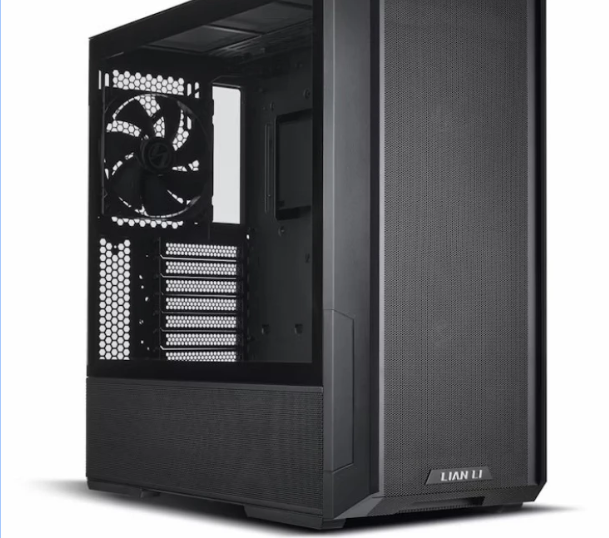
Building a gaming PC in 2025 is an investment in performance, longevity, and future-proofing. With the rapid pace of hardware development, gamers often wonder how to maximize the lifespan of their systems. By focusing on pc build optimisation 2025 and understanding how much VRAM do I need 2025, you can construct a rig that remains powerful, reliable, and relevant for years to come. This guide will break down essential strategies for building a long-lasting gaming PC.
Why Lifespan Matters
A high-performance gaming PC is more than just raw power. Longevity ensures that you:
- Save money by avoiding frequent upgrades.
- Maintain consistent performance for new game releases.
- Reduce downtime for repairs and component replacements.
- Support higher resolutions and content creation workflows over time.
With games pushing the limits of graphics and VRAM usage in 2025, designing your PC with longevity in mind is crucial for both gaming and productivity.
Core Principles of a Long-Lasting Gaming PC
1. Choose the Right CPU
The processor is the heart of any PC, and selecting one with high performance and multi-core capabilities ensures long-term usability.
- AMD Ryzen 7/9 and Intel Core i7/i9 are excellent choices in 2025.
- Multi-threaded performance is key for gaming, streaming, and content creation.
- Future-proofing your CPU minimizes the need for replacement in the coming years.
Proper CPU selection lays the foundation for a stable, long-lasting system.
2. Invest in Adequate GPU and VRAM
Graphics cards not only drive gaming visuals but also influence VRAM requirements. Understanding how much vram do i need 2025 is essential for longevity:
- 1440p gaming: 8–12GB VRAM handles most AAA titles at high settings.
- 4K gaming: 16GB or more VRAM ensures smooth performance with high-resolution textures.
- Future releases: New games and graphical features will likely demand more VRAM, making a higher-capacity GPU an investment in your rig’s lifespan.
A GPU with sufficient VRAM ensures that your gaming PC remains capable for years, reducing the need for frequent upgrades.
3. RAM Considerations
Memory affects both gaming and multitasking performance:
- 32GB DDR5 RAM is ideal for 2025 systems that handle gaming and content creation.
- 16GB may be enough for casual gaming, but limits performance for demanding workflows.
- Fast, high-quality RAM improves overall system responsiveness and contributes to longevity.
Upgrading RAM is simpler than replacing a CPU or GPU, but investing in enough memory from the start ensures your PC remains future-proof.
4. Storage Solutions
Efficient storage not only improves performance but also contributes to a long-lasting system:
- NVMe SSDs provide faster boot and load times compared to traditional drives.
- 1TB–2TB NVMe SSDs are ideal for high-end games and content creation projects.
- Secondary SSDs or HDDs offer cost-effective storage for older files and backups.
Fast, reliable storage reduces wear and tear on your system and keeps your PC running smoothly over time.
5. Cooling and Airflow
Heat is one of the main factors that reduces hardware lifespan. Proper cooling is essential:
- Use high-quality air coolers or AIO liquid cooling for your CPU.
- Ensure your case supports optimal airflow with intake and exhaust fans.
- Monitor temperatures and adjust fan curves for both performance and noise reduction.
Good cooling extends component life and maintains system stability, a key part of PC build optimisation 2025.
6. Power Supply and Quality Components
A stable power supply protects your components and supports future upgrades:
- Choose a high-quality PSU with 650–850W capacity for mid-to-high-end builds.
- Modular PSUs reduce cable clutter and improve airflow.
- Investing in durable motherboards and components ensures reliability and reduces failures over time.
Quality components minimize the risk of system instability and extend your PC’s usable life.
Tips for Extending Gaming PC Lifespan
- Regular Maintenance: Clean dust filters, reapply thermal paste, and monitor component health.
- Plan Upgrades: Understand the PC upgrade cycle 2025 to replace only essential parts over time.
- Avoid Extreme Overclocking: While overclocking can improve performance, excessive heat can shorten component life.
- Monitor VRAM and GPU Usage: Prevent bottlenecks and performance issues by keeping VRAM demands in check.
- Environmental Considerations: Keep your PC in a cool, dry location to prevent overheating and corrosion.
Following these tips ensures that your gaming PC remains stable and reliable for years.
Conclusion
Building a long-lasting gaming PC in 2025 requires careful component selection, proper cooling, and understanding of future performance requirements. By focusing on PC build optimisation 2025 and evaluating how much VRAM do I need 2025, you can construct a system capable of handling modern games, content creation, and high-resolution workloads.
Investing in high-quality CPUs, GPUs, RAM, storage, and cooling solutions ensures your rig remains relevant, quiet, and efficient. With strategic planning and maintenance, your gaming PC will provide years of smooth gameplay and creative performance, offering excellent value for your investment.

